
From scattered files to connected information
Bring plans, spreadsheets and burial records into one map instead of switching between sources.
A digital cemetery map connecting grave locations, headstone images and burial records — helping your team find information, update records and keep knowledge in one place.
For cemetery managers, burial societies, religious councils and municipal operators. Not a public grave-search service.
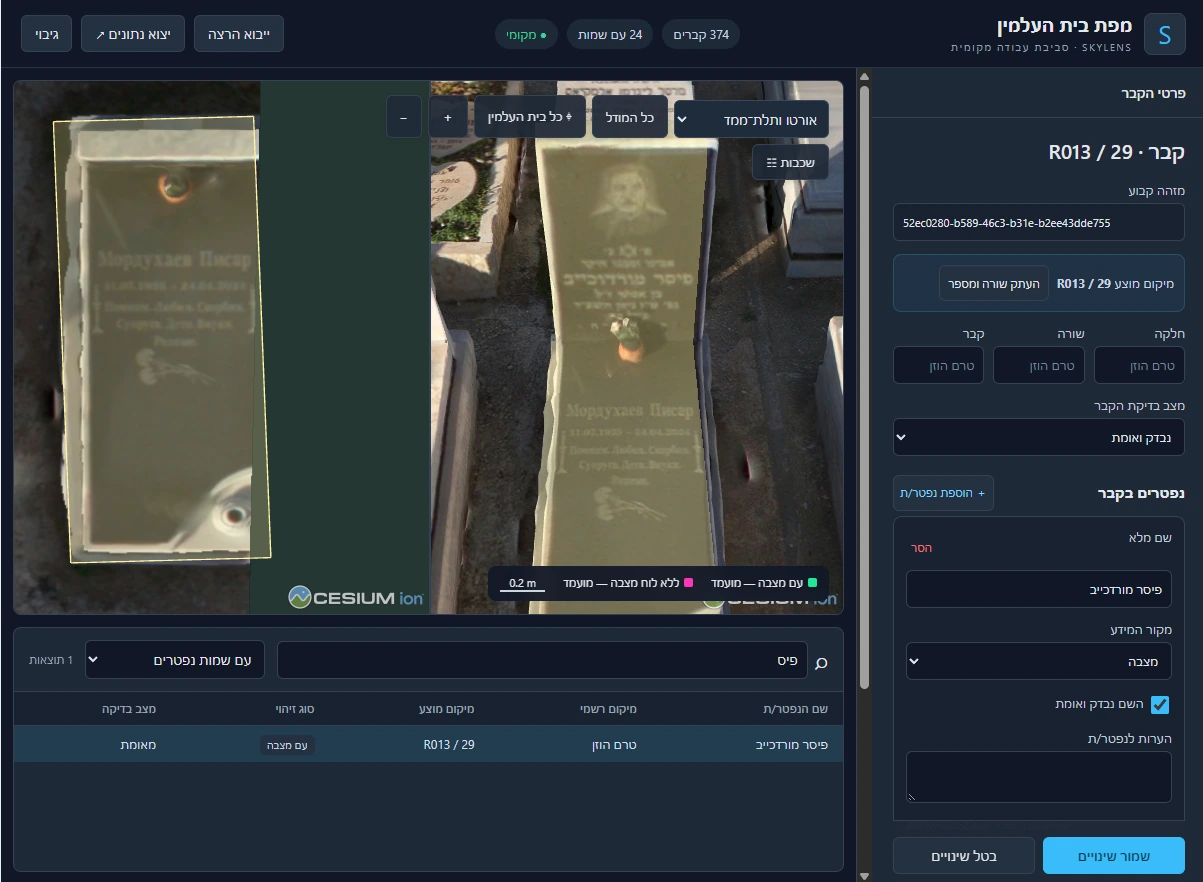
Bring plans, spreadsheets and burial records into one map instead of switching between sources.
Connect burial details to a location and grave image so your team can find and review the right record.
Keep information in the interface and update it over time, making knowledge accessible as team members change.
Grave locations on aerial imagery, alongside a 3D view of the headstones.
Records connected to locations, with tools to search, review and update information.
Names, locations and grave images for continued use and further work.
From existing plans and records to a digital map and a database connecting each name with a location and a grave image.
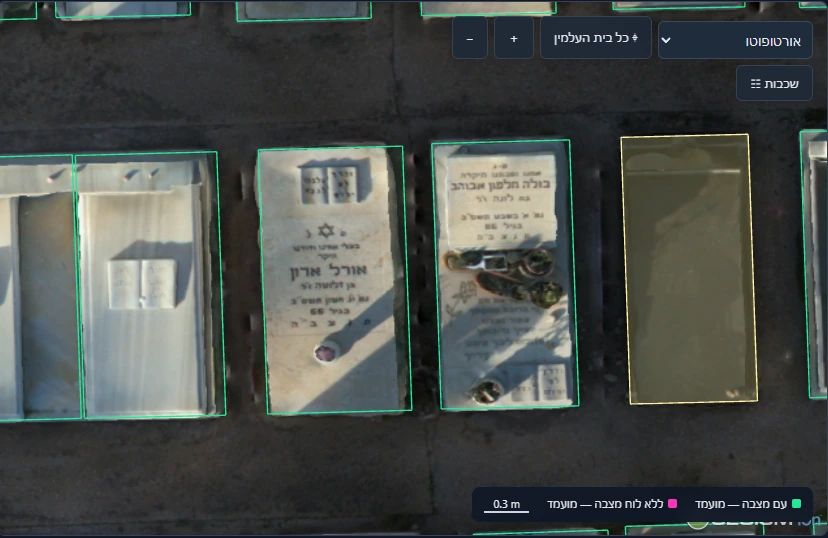
Capture and orthophoto, sections and rows, grave locations, paths and boundaries — within an agreed scope and quality review.
Import registers, map fields, review duplicates, link locations and prepare an exceptions report for customer approval.
Viewing, search and editing; local or cloud deployment at the customer’s choice, with training as specified for the pilot.
Start with a selected section, connect records to the map and agree on the deliverables and scope together. The pilot is a paid service with a tailored proposal.
A defined area, grave-location and deceased-record limits counted separately; source files, coordinate system and permissions.
A deliverable list with formats and transfer method; deployment, hardware requirements, licensing and training.
A named authorized reviewer, review method, coverage, acceptance thresholds, review date and revision rounds — agreed before ordering.
Unresolved records and conflicts with a decision owner; backup, update and support terms. Full-site expansion is quoted separately.
Local or cloud deployment, with export, update and backup options.
Choose local or cloud deployment to suit your organization. Hosting, backup and support terms are defined for the selected plan.
An optional data backup service can be added. Storage location, backup frequency, retention period, restore testing and cost are defined in the proposal for the local or cloud plan.
Update frequency is agreed according to the cemetery’s needs. For periodic updates, the cemetery provides burial records and locations, and we document them and add the information to the database and interface. Update scope and delivery dates are agreed as part of the service.
Dense burial also needs building, floor, wall, row and cell identifiers. One grave location may link to several deceased records, so these are counted separately. An apparently empty space does not prove availability. Public maps, navigation and payments are not part of this launch offer.
We review the available imagery, maps and registers and identify gaps. Do not submit burial databases through this form; project data will use an authorized transfer channel.
An authorized cemetery representative, named before verification begins. Visual or automated matching does not replace that approval.
The customer chooses local or cloud deployment. The specification defines the working environment, license, deliverables and export formats.
An optional data backup service can be added. Storage location, backup frequency, retention period, restore testing and cost are defined in the proposal for the local or cloud plan.
Update frequency is agreed according to the cemetery’s needs. For periodic updates, the cemetery provides burial records and locations, and we document them and add the information to the database and interface. Update scope and delivery dates are agreed as part of the service.
Rights, continued software operation, support and export options are defined in the agreement for the selected plan.
Records, layers, formats and usage rights are agreed before ordering.
Software licensing is separate from data ownership. Continued use, support, backup, restore testing and updates require explicit terms.
We will get in touch to learn about your cemetery, existing records and needs, and arrange a suitable demo. You can also share details to request a pilot proposal.